

You were here.
Istanbul
41.0082° N · 28.9784° EFour places. One thread.
An illustrative journey — choose a stop.
Your photographs
have a geography.
A weekend in Rome. A summer by the Bosphorus. Years of photographs, scattered through your phone.
Fotlas reads the dates and places saved in your photos and brings them together in a personal atlas. Start with an old trip. See where it takes you.
Pull back.
It’s your world.
A photograph takes you to a moment.
The globe shows how those moments connect.
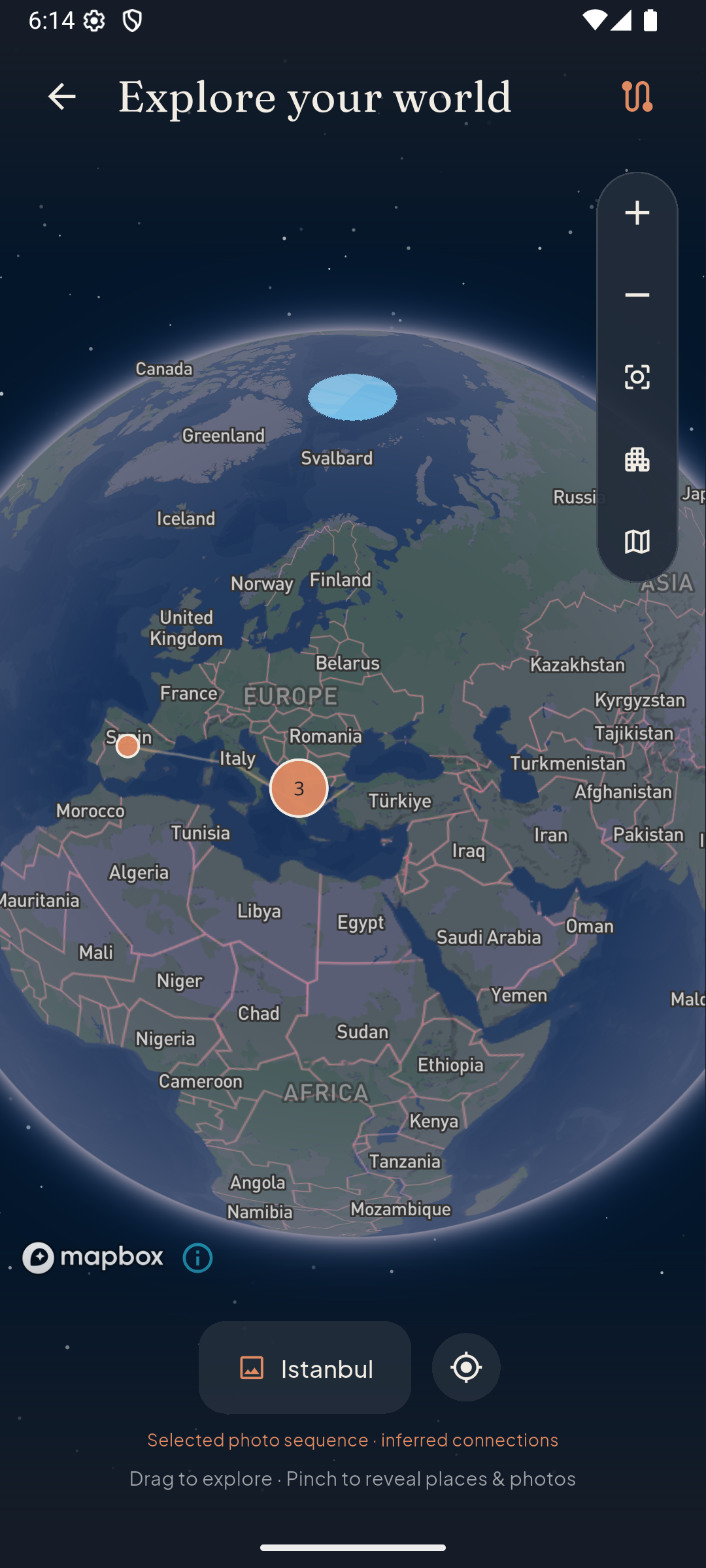
Turn it, move closer, open a place. Explore streets and buildings with Mapbox, then open the photographs you took there.
See the app’s globe Routes connect photo locations.They are approximate, not GPS tracks.
The places stay.
So do the little things.

That light.
That street.
That afternoon.
Search your collection by place. Filter by year. Open the photograph that brings it all back.
Old photographs belong here, too. If a date or place is missing, add what you remember. Your original files stay unchanged.
Look inside the collection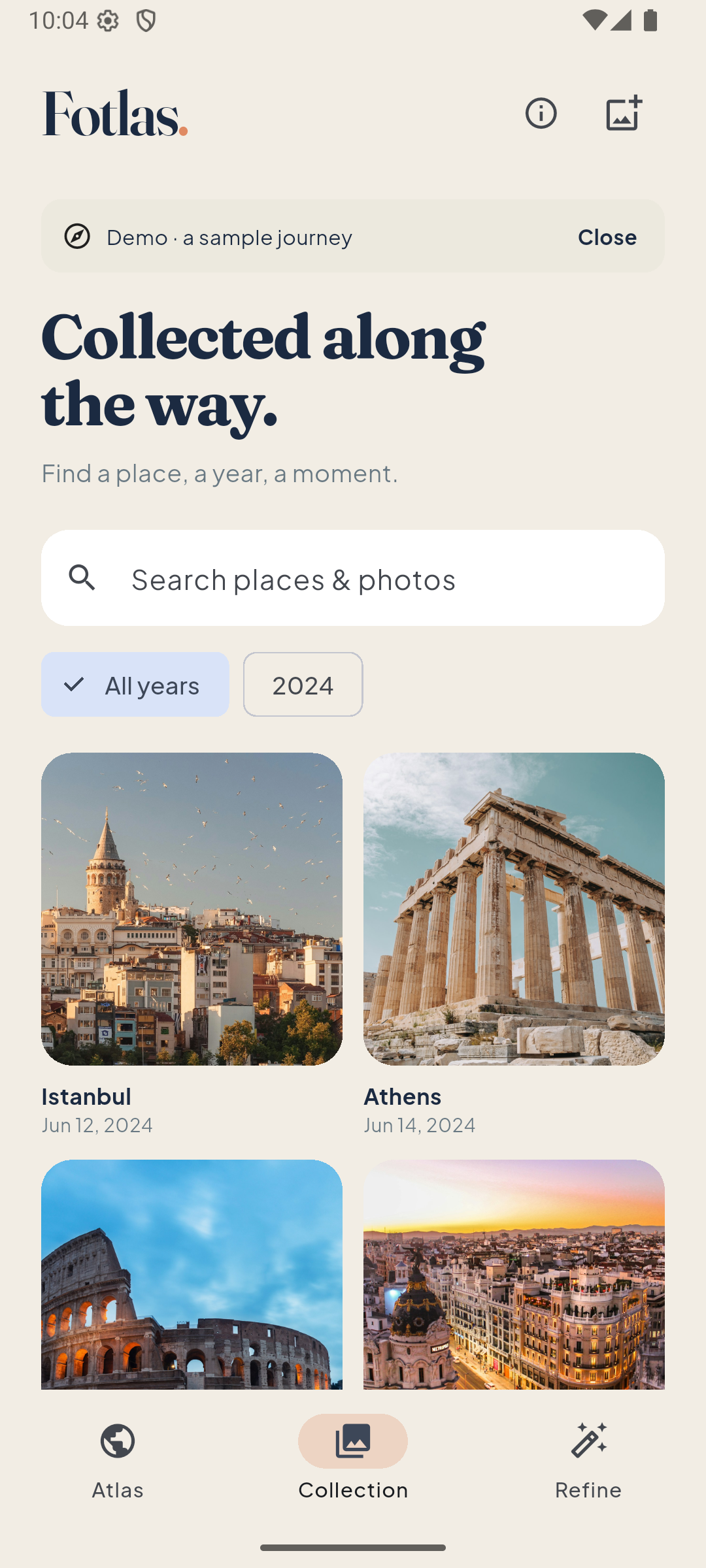
Scan your photo library.
Revisit the places inside it.
Originals stay on your phone.
Detailed maps load online.
Photographed and estimated days.
Always shown separately.
Give your photos
a place.
See your travels, year by year.
New in 0.4.4: a more thoughtful photo selection. AI checks photos individually, compares similar frames in pairs and chooses the strongest composition. Suspected clutter gets a second check; uncertain memories stay. Start with one trip: Prepare a story → Prepare with AI. You can also prepare a whole year. Checks are saved so you can pause and continue; your existing selection stays unchanged until preparation finishes.
Explore countries and estimated stays in Statistics. Open a date in Calendar, or choose days to relive their photos as a story. Shape a journey with your own title, chosen cover and photographs. Ask Fotlas for three English title suggestions, then share it as a private link. Friends can explore the map and photos in their browser, without installing Fotlas. Only selected previews are uploaded; Private photos are excluded.
Installing the Android preview
- Download the APK on your Android phone.
- Open the file. If asked, allow your browser or file manager to install this app. You can turn this permission off afterwards.
- Install over your existing Fotlas preview to keep your local library and preferences. Do not uninstall or clear app data.
- Tap “Scan my photos” and allow photo access. Fotlas automatically scans the photos on your phone and opens your atlas.
- Find a photo on the map and choose This day or This visit. Only This day draws a route; manual map browsing and whole visits stay free of lines. Tap Share this visit to review and share that stay.
- To view an album on the website, open Places & years, choose a place or period, tap the cloud button, sign in by email code and confirm the preview upload.
- For automatic trip suggestions, open Collection → Trips, choose a year and tap Prepare trips. Tap Update suggestions to rebuild earlier groups. Rename, merge or split as needed. For a complete year, tap Prepare this year with AI, sign in and confirm year-wide preview processing. Keep the app open; completed checks are saved for later. Your selection changes only after preparation finishes. Use Show filtered trips to review trips with no selected photos, or Prepare a story → Other photographs to restore omitted frames. Prepare with AI inside a trip now curates the full album, without a fixed highlight quota. Review and apply the suggested selection; nothing is published until you explicitly choose Publish.
- To share a journey, tap Share trip, edit its title, choose a cover and the photographs to include, then review, choose an expiry and publish. Copy or send the link before leaving the screen. Close a link at any time in My account → Shared journeys.
This is an early build. Real-device performance is still being evaluated. Routes and nearby city suggestions are approximate. Online maps use Mapbox. Email-code accounts and selected-album uploads are available: only compressed previews and their dates and locations are uploaded with your consent. Private and hidden photos are excluded. Originals stay on your phone. Sharing by link is available with up to three active links and an expiry of 7, 30 or 90 days. Anyone with the link can view it; photo locations are approximate by default. You can close a link, but saved copies and messenger previews cannot be recalled. Optional AI title suggestions use only selected place names, dates and counts after your consent. Whole-year AI filtering checks every accessible non-private photo in small batches after separate consent; every suggestion is editable and originals are never deleted. Subscriptions, original-photo backup and video export are not included.
Build details & SHA-256 ↗